
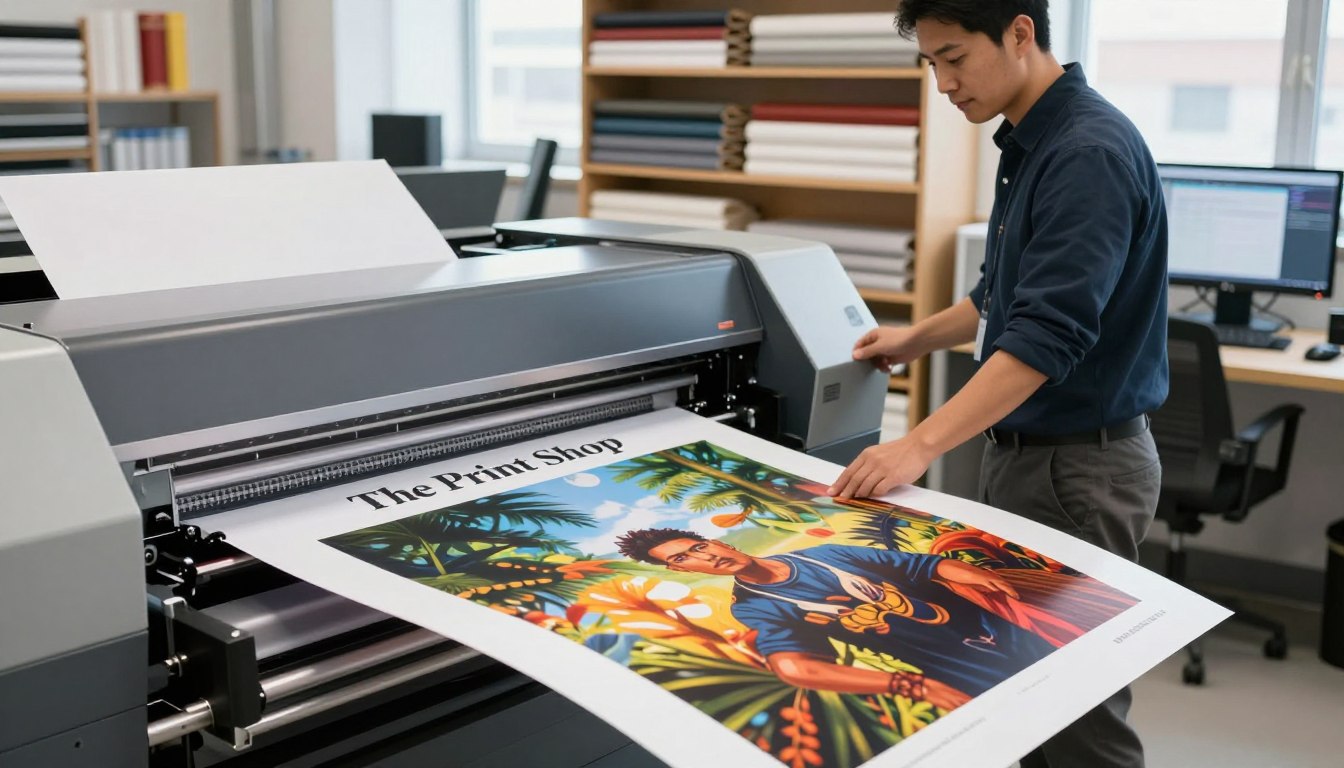
A well-designed and printed poster grabs attention and conveys your message clearly. It’s key for promoting a grand opening or a neighborhood event. Print quality is important.
Our printing service offers consistent, high-quality printing. It helps local businesses look professional and confident. Call us at 435-723-4200 or email design@tpsbc.com for your printing needs.
Key Takeaways
- Professional poster printing enhances your business image
- High-quality printing is crucial for effective promotion
- Consistent print quality builds trust with your audience
- Our printing service is designed to meet your needs
- Contact us for reliable and professional printing services
Understanding Poster Printing Fundamentals
To make great posters, you need to know the basics of poster printing. Learning these basics helps you make smart choices during the printing process.
Different Types of Posters and Their Uses
There are many types of posters, each for a different use. Promotional posters advertise events or products. Informational posters share details about a topic. Educational posters engage students in classrooms.
Knowing what kind of poster you need is key. For example, a promotional poster might need bright colors and bold graphics. An informational poster should be clear and easy to read.
Common Poster Sizes and Standards
Posters come in standard sizes for different needs. You can find sizes like 11×14 inches for small displays, 18×24 inches for medium posters, and 24×36 inches for big impacts.
| Poster Size | Typical Use |
|---|---|
| 11×14 inches | Small displays, photo prints |
| 18×24 inches | Medium displays, event promotions |
| 24×36 inches | Large impacts, advertisements |
Picking the right size is important for your poster’s success. We guide you to choose the best size and printing method. This way, your posters will look sharp and professional.
Essential Design Principles for Eye-Catching Posters
A successful poster needs key design principles to grab and hold the viewer’s attention. When making a poster, think about several important elements. These elements work together to draw in your audience.
Color Theory for Impactful Poster Design
Color theory is vital for impactful posters. Vibrant colors like reds and oranges can make people feel urgent. On the other hand, cool tones like blues and greens can show trust and calm. Pick colors that stand out against the background and are clear from far away.
- Use contrasting colors to make your text pop.
- Limit your palette to 3-4 main colors to avoid visual clutter.
- Consider the emotional impact of different colors on your audience.
Typography Best Practices for Readability
Typography is key in poster design. For easy reading, use bold fonts that are at least 24-32 points. Stick to the basics: headline, main points, and a call-to-action. This makes your message clear and easy to read from a distance.
- Choose fonts that are clear and easy to read.
- Use font sizes that create a clear hierarchy of information.
- Avoid overusing italic or decorative fonts.
- Ensure your text is legible against the background.
Balancing Text and Visual Elements
- Use high-quality images that are relevant to your message.
- Ensure your visual elements are not too cluttered or distracting.
- Balance text and images to guide the viewer’s eye through the poster.
By following these design principles, you can make posters that grab attention and share your message well. Whether you’re using high-quality poster printing services or looking at online poster printing options, a well-designed poster is crucial for success.
Choosing the Right Software for Poster Design
Choosing the right software for poster design is key to getting professional results. At our custom poster printing company, we know how important it is to use the best tools. This ensures your posters are visually appealing and grab your audience’s attention.
Professional Design Software Options
For pros, top picks are Adobe Illustrator and Photoshop. These programs have advanced features for complex designs and image manipulation. They offer the precision and flexibility needed for top-notch poster printing.
| Software | Key Features | Best For |
|---|---|---|
| Adobe Illustrator | Vector graphics, advanced typography | Logos, illustrations, complex designs |
| Adobe Photoshop | Raster graphics, photo editing | Image manipulation, photo-realistic effects |
User-Friendly Alternatives for Beginners
For newcomers, Canva is a great starting point. It offers templates and drag-and-drop tools, making it easy to create professional posters. With poster printing tips and design software, you can make high-quality posters that get your message across.
Choosing the right software ensures your poster is of high quality and communicates your message well. Whether you’re experienced or just starting, there’s a tool for you. Our affordable poster printing services help you reach your goals.
How to Print Posters: Step-by-Step Process
We’ll show you how to print posters perfectly. It’s all about paying attention to details and knowing the printing process well.
Setting Up Your Document Correctly
First, set up your document right. Design your poster at 300 DPI (dots per inch) at full size. This makes sure your poster looks sharp and professional.
Use vector graphics when you can. They stay clear no matter the size.
Configuring Color Settings for Print
Setting up color settings is key for a great print. Work in CMYK color mode for printing. RGB mode is for screens and can mess up colors when printed.
Resolution Requirements for Sharp Images
For clear images, keep the right resolution. Design at 300 DPI at full size. The size of your poster might change, but keep the DPI the same.
Exporting Print-Ready Files
Export your file in a format ready for printing. Use PDF, TIFF, or EPS formats. These are what printing services like, and they keep your design just as you made it.
Here’s a quick summary of the steps:
| Step | Description | Best Practice |
|---|---|---|
| 1. Document Setup | Design at full size | 300 DPI |
| 2. Color Settings | Use CMYK color mode | Avoid RGB mode |
| 3. Image Resolution | Maintain high resolution | 300 DPI at full size |
| 4. File Export | Save in print-ready formats | PDF, TIFF, EPS |
Follow these steps and best practices for top-notch poster printing. At our service, we make sure your posters are printed with care and professionalism.
Selecting the Best Paper and Materials
At our custom poster printing company, we know how crucial the right paper and materials are. The paper you choose greatly affects your poster’s look, feel, and longevity. It impacts how colors appear and how long it lasts when displayed.
Paper Types and Weights for Different Poster Applications
The paper type significantly influences your poster’s look and durability. We have various paper types and weights for different needs. Lighter papers work well for indoor events, while heavier ones are better for outdoor use or exhibitions.
| Paper Type | Weight (gsm) | Application |
|---|---|---|
| Matte Paper | 150-200 | Indoor Events |
| Glossy Paper | 200-300 | Exhibitions, Outdoor Use |
| Cardstock | 300-400 | Premium Displays |
Specialty Materials for Unique Effects
For a unique look, consider specialty materials like metallic paper, textured stocks, or fabric. These add sophistication and make your posters stand out.
Environmental Considerations in Material Selection
We’re dedicated to eco-friendly choices at our professional poster printing service. Choosing recycled papers, FSC-certified stocks, or biodegradable materials reduces your poster’s environmental impact.
By picking the right paper and materials, your posters will look amazing and reflect your values and brand. Our team is ready to help you choose the best materials for your needs.
Professional Printing Methods Compared
There are many professional printing methods, each with its own benefits and uses. Knowing these differences helps you choose the best one for your posters.
Digital Printing for Small Runs and Quick Turnaround
Digital printing is great for small to medium-sized jobs and fast service. It eliminates the need for printing plates, saving money on small orders. It’s ideal for businesses needing quick promotional materials.
Offset Printing for High-Volume and Premium Quality
Offset printing is best for big jobs and top-notch quality. It uses a rubber blanket to transfer ink to the paper. This method ensures high-quality images with precise color, perfect for large commercial prints.
Large Format Printing Techniques
Large format printing is for big prints that grab attention. It’s used for banners, wall displays, and other big marketing items. Specialized printers are needed for these large sheets.
| Printing Method | Ideal Use | Key Benefits |
|---|---|---|
| Digital Printing | Small to medium runs, quick turnaround | Cost-effective, fast production |
| Offset Printing | High-volume, premium quality | High image quality, precise color |
| Large Format Printing | Oversized prints, banners, displays | Attention-grabbing, versatile |
Comparing these printing methods helps you choose wisely based on your needs and budget. Whether you want quality, cost savings, or speed, there’s a method for you.

Troubleshooting Common Poster Printing Problems
Poster printing can sometimes go wrong, but the right steps can fix it. It involves design, preparation, and the final print. Issues can pop up at any time.
Resolving Color Discrepancies Between Screen and Print
Color differences between your screen and the printed poster are common. This happens because screens and printers see colors differently. To fix this, calibrate your monitor and use color-managed software.
Also, ask for a printed proof before the final print. This lets you see how colors look on paper.
Fixing Resolution and Pixelation Issues
Low-resolution images cause pixelated posters. Make sure your images are high-resolution (at least 300 DPI). Also, scale them right for your poster size.
If using raster images, don’t enlarge them too much. This can cause pixelation. Vector graphics, though, can be scaled without losing quality.
Addressing Printing Alignment and Margin Errors
Alignment and margin problems can mess up your poster. Check your document setup to match your print size and orientation. Make sure your design software includes bleed and trim marks.
| Issue | Cause | Solution |
|---|---|---|
| Color Discrepancy | Screen vs. Printer Color Interpretation | Calibrate Monitor, Use Color-Managed Software, Request Printed Proof |
| Pixelation | Low-Resolution Images | Use High-Resolution Images (at least 300 DPI), Avoid Overly Enlarging Raster Images |
| Alignment and Margin Errors | Incorrect Document Setup | Verify Document Size and Orientation, Include Bleed and Trim Marks |
By tackling these common problems, your posters will look great. At our custom poster printing company, we’re here to help. We offer expert tips and techniques for the best results.
DIY vs. Professional Printing Services
When it comes to printing posters, you have two main options: doing it yourself or using a professional printing service. The choice depends on your needs, budget, and the quality you want.
When to Print Posters at Home
Printing posters at home is easy and cheap for small amounts. If you have a good printer and materials, you can get good results. It’s great for personal projects or small events where the poster doesn’t need to impress much.
The cost of printing at home is between $5 to $10 per poster. This depends on the ink and paper you use.
Benefits of Using Professional Printing Services
Professional printing services have many advantages over DIY. They provide high-quality prints and extra services that can make your posters better.
Expert Color Calibration and Quality Control
Professional printers use special equipment for accurate colors and high-quality prints. Home printers can’t match this level of quality.
Access to Premium Materials and Finishing Options
With a professional service, you can pick from top materials and finishes. You can choose glossy, matte, or textured finishes, and different paper weights. This lets you customize your posters exactly how you want.
Cost Comparison and Value Analysis
Professional printing might seem more expensive at first, with prices starting at around $11 for custom options. But, the quality and durability of the prints are worth it. For big orders or high-end needs, it’s often cheaper in the long run because of bulk discounts.
| Printing Option | Cost per Poster | Quality Level |
|---|---|---|
| Home Printing | $5-10 | Variable |
| Professional Printing | $11+ | High |
When choosing between DIY and professional printing, think about your budget, the poster’s use, and the quality needed. For many, the benefits of a professional poster printing service are worth it. This is true for affordable poster printing services and online poster printing options too.
Conclusion: Getting Your Professional Posters Printed Today
Creating great posters needs the right materials, careful design, and expert printing. This ensures they look good and last long. By following the tips in this article, your posters will surely make an impact.
To get top-notch poster printing, knowing the basics is key. We’ve talked about choosing the best paper, professional printing methods, and solving common issues. This knowledge helps you create posters that stand out.
Now, you know how to print posters well. We’re here to help with your printing needs. Our team is ready to provide high-quality printing services. For tips and advice, call us at 435-723-4200 or email design@tpsbc.com. Let’s start your poster printing project today.
FAQ
What are the most common poster sizes and standards?
Common poster sizes are 11×17 inches, 18×24 inches, and 24×36 inches. These sizes are easy to frame or display. We also offer custom sizes to meet your needs.
What design software is best for creating professional-looking posters?
Adobe Creative Cloud apps like Photoshop and Illustrator are top choices for professional posters. Canva is great for beginners. Our team can help you make your design print-ready.
How do I ensure my poster prints with vibrant colors?
Use CMYK color mode and ensure your design is print-ready. Our experts can help you set up your colors right.
What paper types and weights are suitable for posters?
Choose paper based on your poster’s use. Glossy is good for bright colors, while matte is better for text. We have many paper options, including specialty ones.
What’s the difference between digital printing and offset printing?
Digital printing is great for small runs and quick prints. Offset printing is best for large quantities and high quality. Our team can help you pick the right method.
Can I print posters at home or should I use a professional service?
DIY printing can save money, but professional services offer better quality and expertise. We can help you decide when to print at home and when to use our services.
How do I troubleshoot common poster printing problems?
Issues like color problems and alignment errors can be fixed with our help. We’ll ensure your posters look great.
What are the benefits of using professional poster printing services?
Professional services like ours provide top-quality prints, expertise, and many options. We help you create posters that grab attention and show off your business.
How do I get started with my poster printing project?
Just call us at 435-723-4200 or email design@tpsbc.com. Our team will guide you and help you reach your printing goals.